> For the complete documentation index, see [llms.txt](https://docs.storysdk.com/llms.txt). Markdown versions of documentation pages are available by appending `.md` to page URLs; this page is available as [Markdown](https://docs.storysdk.com/tutorial/integrations/google-analytics.md).
# Google Analytics
You can integrate StorySDK with Google Analytics to receive all user events.
For this, you will need a Measurement ID. To find the Measurement ID in your Google Analytics account, follow these steps:
1. **Log in to Google Analytics**: Go to [Google Analytics](https://analytics.google.com) and sign in with your account.
2. **Select the Account and Property**: From the dashboard, choose the account and property for which you want to retrieve the Measurement ID.
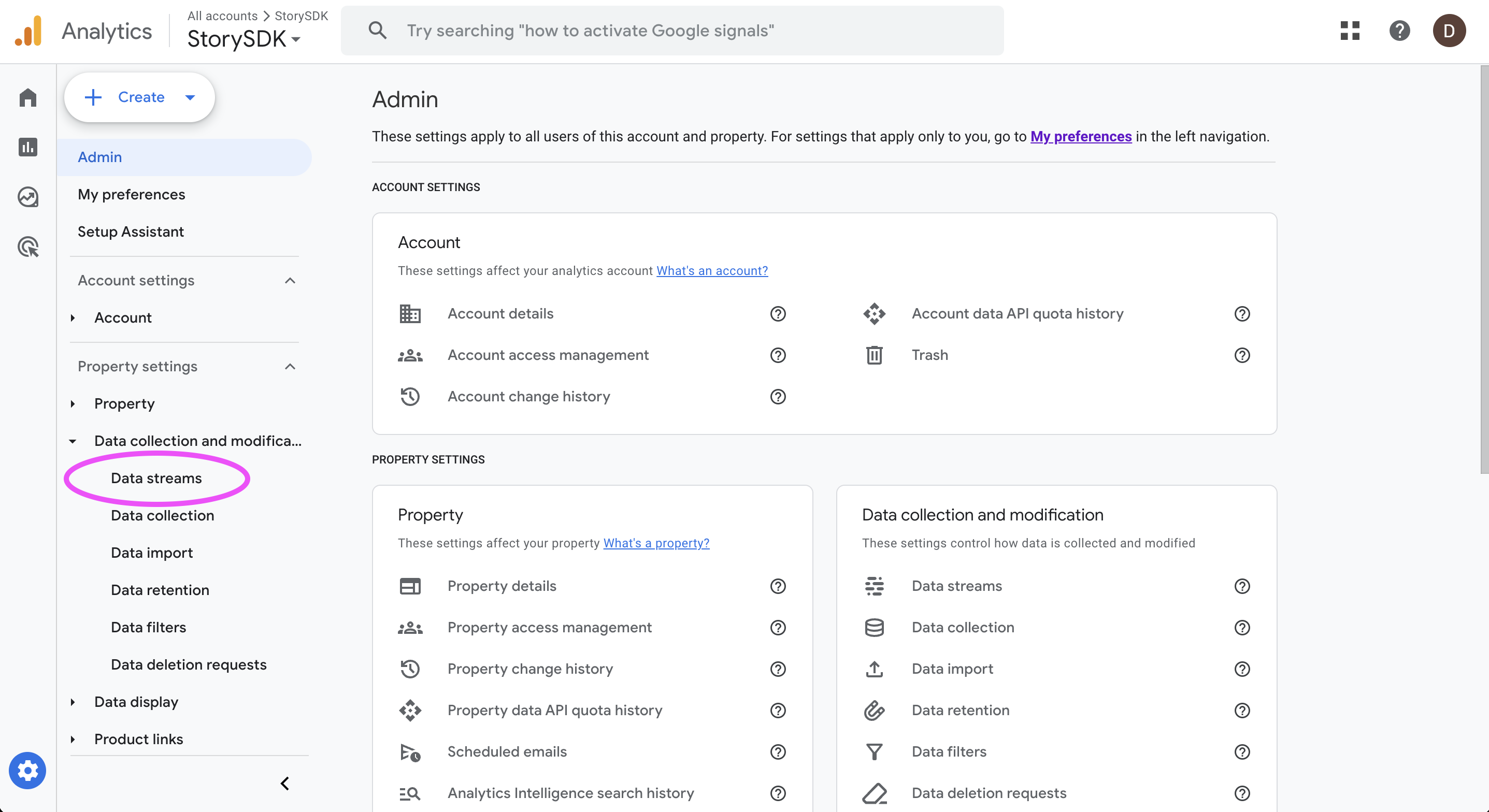
3. **Go to Admin Settings**: Click on the **Admin** option in the lower-left corner of the interface.
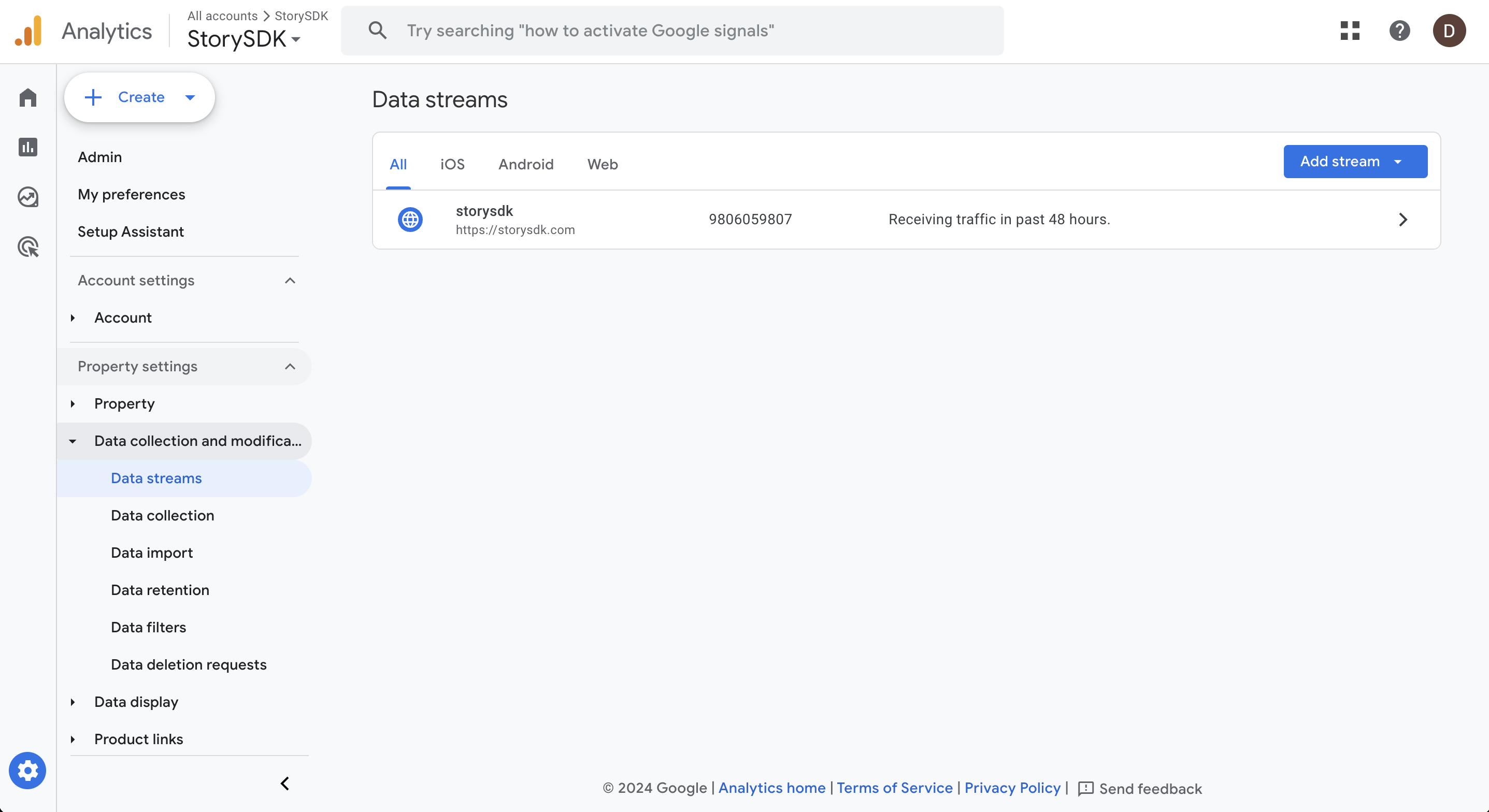
4. **Access Data Streams**: Under the **Property** column, select **Data Streams**.
5. **Choose Your Data Stream**: Click on the data stream associated with your website or app.
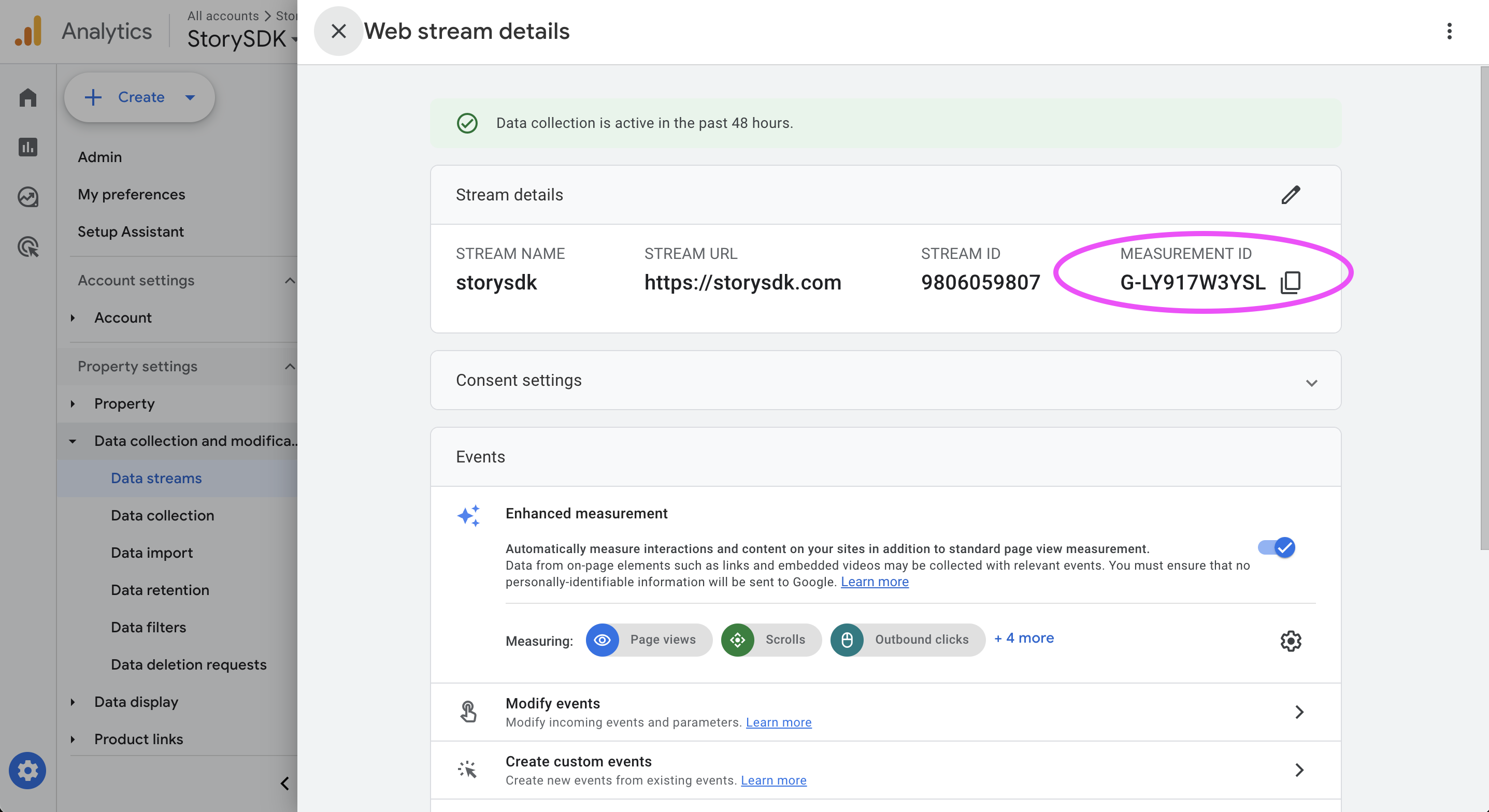
6. **Find the Measurement ID**: In the data stream details, you will see the Measurement ID at the top of the page. It starts with "G-" followed by a unique series of numbers and letters.
Make sure to copy this ID for use in your integrations.
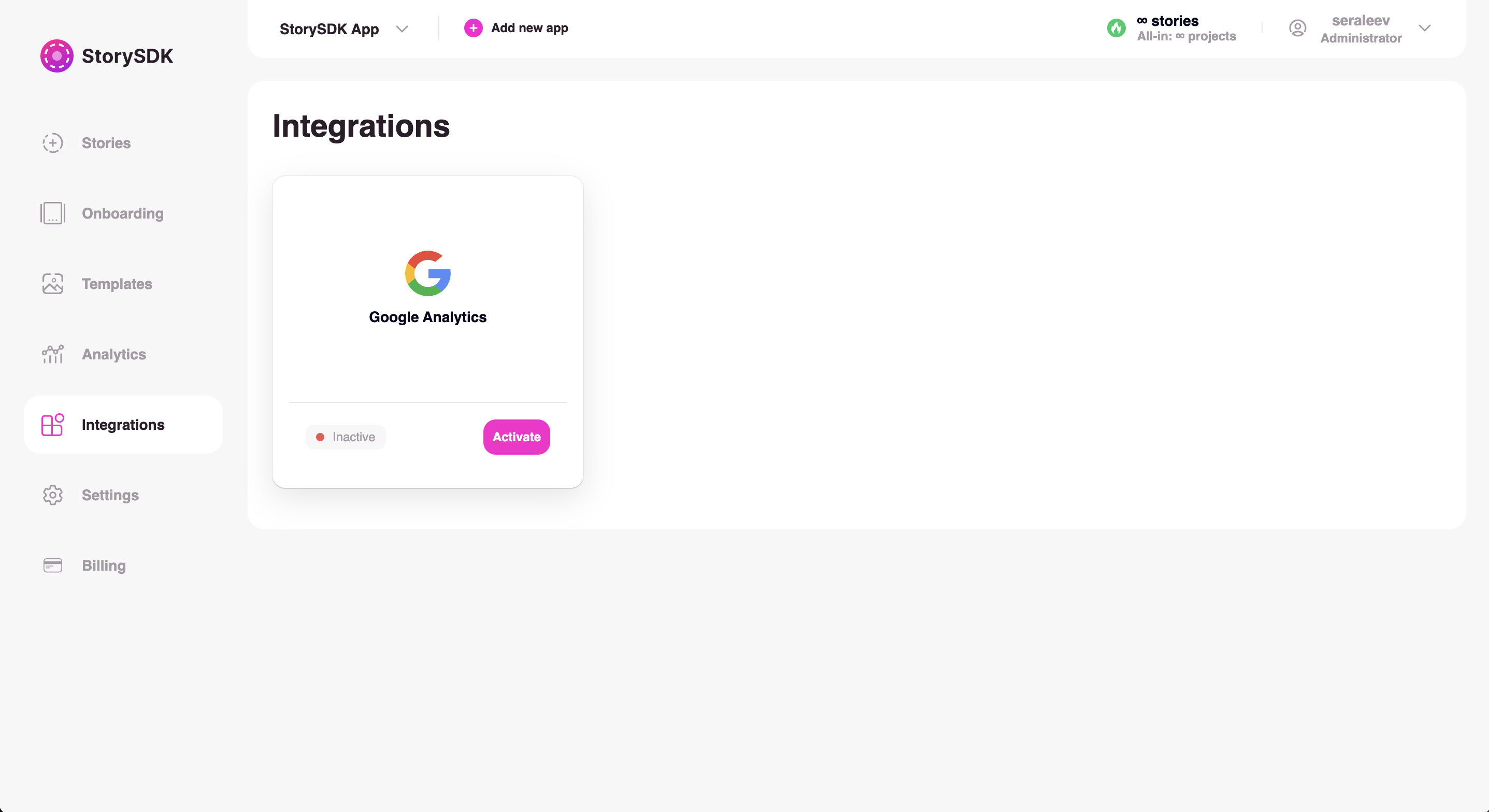
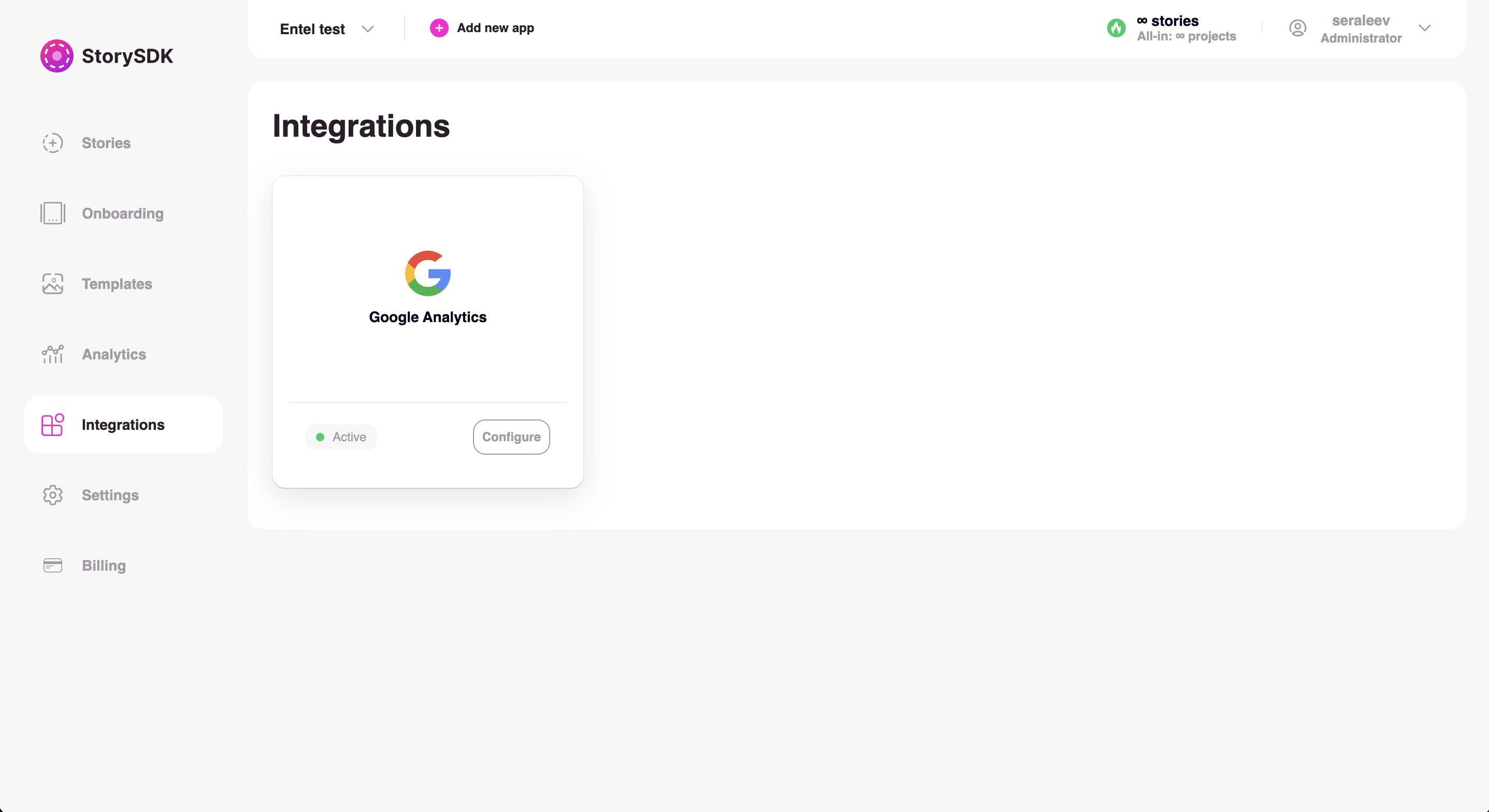
7. **Go to the Integrations tab** in the StorySDK dashboard.
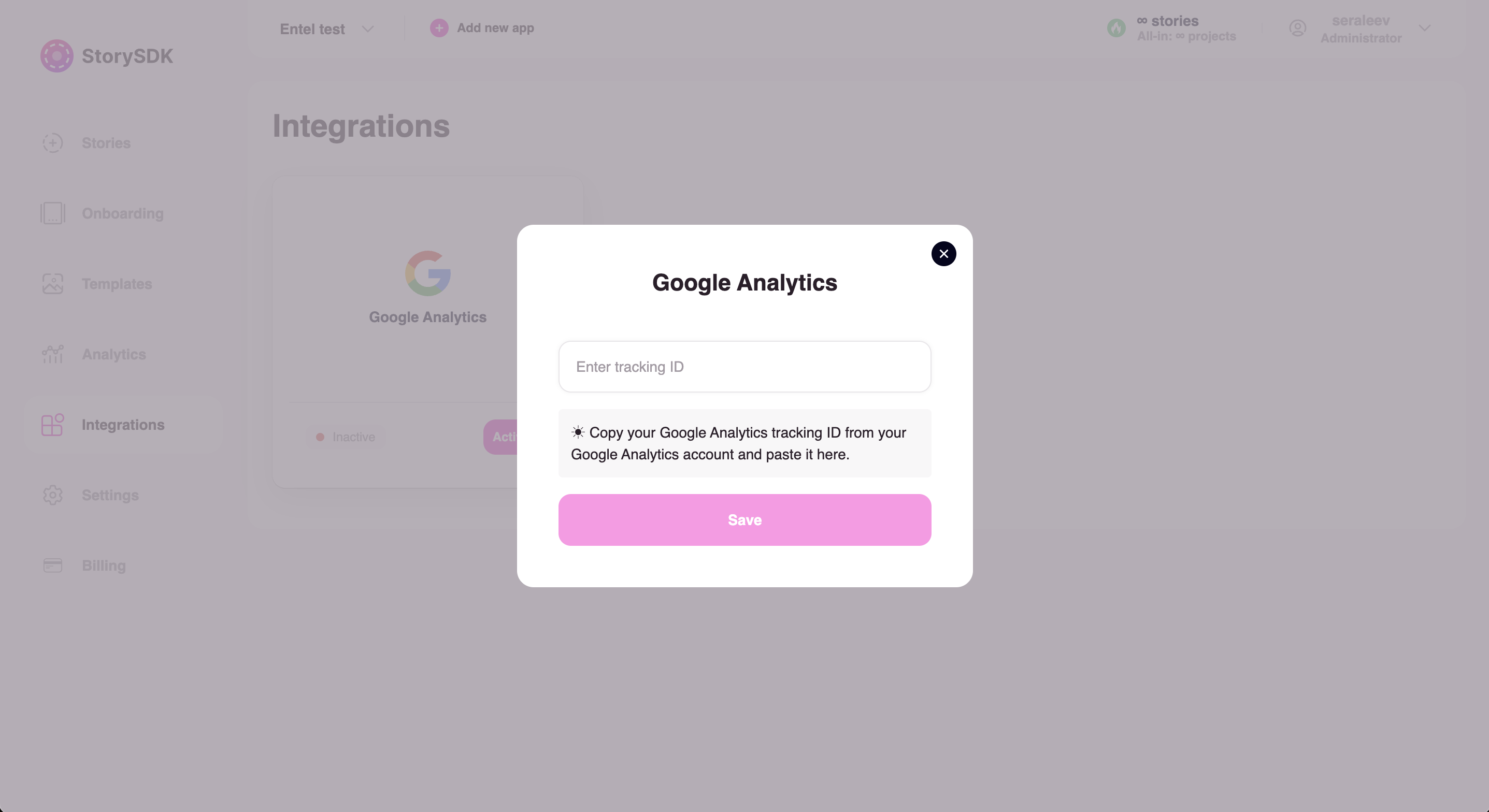
8. **Find the Google Analytics card** and **click the "Activate" button**. In the modal window that opens, paste the obtained Measurement ID and click the "Save" button.
9. After that, the indicator on the card will turn green, and the label will change to "Active".
You can change the Measurement ID at any time by clicking the "Configure" button on the card. To delete the integration, simply leave the field empty and click "Save."
## StorySDK Google Analytics Events
* **`storysdk_group_duration`**: This event tracks the duration of time a user spends on a specific group of stories or content within the StorySDK.
* **`storysdk_group_open`**: This event is triggered when a user opens a group of stories within the StorySDK.
* **`storysdk_group_close`**: This event is triggered when a user closes or exits a group of stories within the StorySDK.
* **`storysdk_story_duration`**: This event tracks the duration of time in seconds a user spends on a single story within the StorySDK.
* **`storysdk_story_impression`**: This event is triggered when a story or content is shown more then one second.
* **`storysdk_story_open`**: This event is triggered when a user opens or starts viewing a particular story within the StorySDK.
* **`storysdk_story_close`**: This event is triggered when a user closes or finishes viewing a particular story within the StorySDK.
* **`storysdk_story_next`**: This event is triggered when a user navigates to the next story in a sequence within the StorySDK.
* **`storysdk_story_back`**: This event is triggered when a user navigates to the previous story in a sequence within the StorySDK.
* **`storysdk_widget_answer`**: This event is triggered when a user provides an answer or interacts with a widget within a story in the StorySDK.
* **`storysdk_widget_click`**: This event is triggered when a user clicks on a widget or interactive element within a story in the StorySDK.
* **`storysdk_quiz_start`**: This event is triggered when a user starts a quiz or interactive questionnaire within the StorySDK.
* **`storysdk_quiz_finish`**: This event is triggered when a user finishes a quiz or interactive questionnaire within the StorySDK.